Search-engine optimised (SEO) sites with Zenario
Zenario is replete with features for making sites optimised for natural search, AI-powered answer engines, and the next generation of generative search experiences.
Readable, keyword-rich URLs
Zenario creates URLs that are both user-readable and search engine friendly, for example, like this:
https://zenariosite.com/cute-puppies
The part after the trailing slash and in bold is known as the "alias", and is unique across the site.
Having keywords in URLs is good practice, because you can not only embed them as-is in a paragraph and still have good readability, but it gives search engines key information about a page's content.
Avoiding complex URLs
Under the hood, Zenario has a unique numeric identifier for every content item; this is only seen when a content item does not have an alias. (Having an alias is encouraged but not mandatory.)
Deep-linked URLs
Where a page is deep in a menu, the menu path consists of one or more parent content items' aliases, for example:
https://zenariosite.com/pets/dogs/cute-puppies
The part after the final slash is still the alias. By showing the menu path above this particular page, it tells both humans and search engines about the page's context.
Despite having a longer path, the final alias part is enough to make it unique. So it means that if the site's menu navigation is restructured as the site grows (which is easy to do on Zenario), the alias alone will still be enough to locate the page. So for example, if the page is moved to:
https://zenariosite.com/zoo/canines/dogs/cute-puppies
the page will be findable using the long path, and still with simply:
https://zenariosite.com/cute-puppies
Spare aliases for redirection
Changing a page's alias is easy, and when a Zenario administrator edits an alias, it's easy to make a "spare alias". So for example, the alias "cute-pups" might be changed to "rescue-pups", and in that case a visitor to:
https://zenariosite.com/cute-puppies
will experience a browser 301 redirect to:
https://zenariosite.com/rescue-pups
or if deeper in the menu to:
https://zenariosite.com/zoo/canines/dogs/rescue-pups
The 301 prevents a bad experience (404 error) for the user, and keeps search engines updated with the site's development.
Single preferred domain
A Zenario site can be put behind a single website domain, or more than one domain, depending on the setup of the web server.
It's far preferable from an SEO perspective to have a single website domain. And so Zenario allows you to choose whether to respond to all domain names or to perform a redirect from all "spare" domain names to a "primary" domain name. The latter is best for SEO.
Page titles
Zenario lets you set a page title meta tag, whether you are creating a new content item or editing an existing one.
It provides assistance while typing:
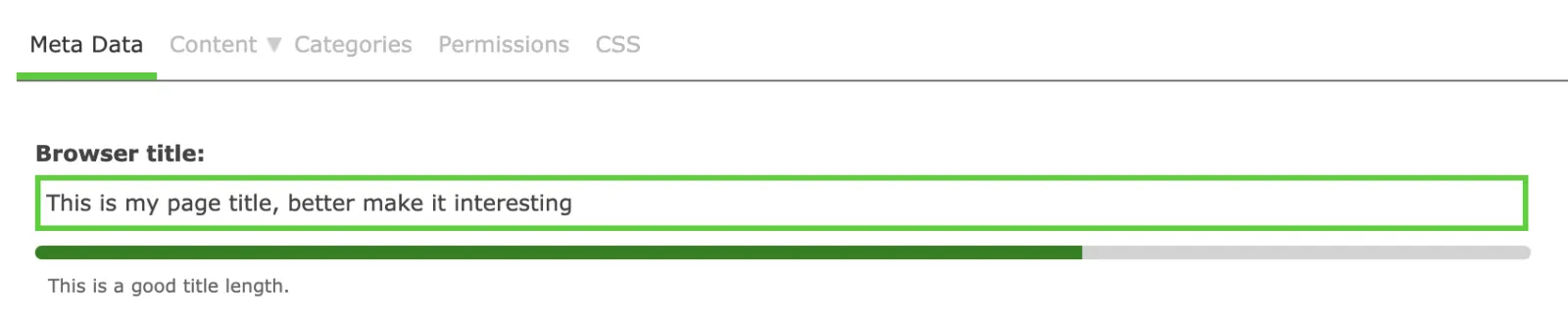
Zenario also makes aliases automatically, and you can adjust them for best effect.
Other meta tags
Zenario supports Description and Keywords tags.
These days the Keywords field is largely ignored by search engines, and so you can disable it on a content type by content type basis for your site. But keywords can help with on-site search, so if a site is large and could benefit from keywords, such as alternative spellings and synonyms, then populating a Keywords field can be helpful.
The Description meta tag is not much used to drive traffic to the site, but a well-written description will help encourage visitors to come to the page. (When the description is left blank, Google among others will scrape words from the body of the page, and these may not be as well-formed as a description you write yourself).
Zenario presents an estimate of what a search engine result will look like for a page, and updates it as you change your title, alias and description, for example:
Structured data for Answer Engine Optimization (AEO)
Modern AI-powered answer engines like ChatGPT, Perplexity, and Google's AI Overviews need structured, semantically rich content to provide accurate answers. Zenario supports this through:
- Schema.org markup — Add structured data to help answer engines understand your content's meaning, including Organization, Article, Product, FAQ, HowTo, and BreadcrumbList schemas
- Clear content hierarchy — Properly structured headings (H1-H6) help AI systems understand topic relationships and extract relevant answers
- Concise, factual content — Content formatted in clear paragraphs and lists makes it easier for answer engines to extract and cite information
- FAQ and Q&A formats — Zenario's content structure naturally supports question-and-answer formats that answer engines prioritize
Generative Engine Optimization (GEO) features
As AI-powered search experiences become more prevalent, Zenario helps ensure your content is discoverable and citable by generative AI systems:
- Semantic HTML — Clean, semantic markup helps AI systems understand content structure and meaning
- Authoritative content signals — Proper authorship attribution, publication dates, and content freshness indicators help establish credibility
- Citation-friendly formatting — Well-structured content with clear headings and concise statements makes it easier for AI to cite your site as a source
- Contextual relationships — Deep-linked URLs and breadcrumb navigation provide context that helps AI understand how content relates within your site
- Natural language content — Zenario's WYSIWYG editor encourages natural, conversational writing that aligns with how users ask questions to AI assistants
XML sitemap, robots.txt
A key ingredient to successful SEO is an XML sitemap. Zenario creates an XML sitemap automatically, with the default name sitemap.xml.
All content items are included by default, unless they are private or are excluded (which can be done on a page-by-page basis).
There is a robots.txt file to discourage search bots from going into Zenario's internals.
Efficient image handling
When adding images to Zenario, we recommend that administrators upload high quality, full size images. Zenario stores the original, and issues a smaller version for download, according to the size and type of usage. By keeping the original, or a very large version of a file, it's easy to keep adjusting the final image size that's shown on a page.
Zenario has several libraries for optimising images, and it can optimise JPG and PNG formats.
Furthermore, modern browsers support the newer WebP format, which can give as much as a 50% image size saving.
Zenario auto-creates WebPs of all images, resulting in a huge speed-up in page download times.
A central image library lets administrators review all images and give them suitable ALT tags. Images can even be renamed, so that their filenames are meaningful. All this helps both SEO and the site editing process — and provides important context for AI systems that analyze images.
High page efficiency
Zenario makes good use of compression to minimise download times. It groups JavaScript files together and usually defers them to the end of a page load.
CSS files are also usually grouped together for efficiency, although this can be disabled for web designers while they are editing CSS using the WYSIWYG-editing CSS tool.
Serving from the cache
Although sites are heavily database-dependent, Zenario makes considerable use of a smart caching system.
For most public-facing web pages, whole pages can be cached; so when a request arrives, it is typically served from the web server's file system, provided it is already in the cache.
Where web pages have partly personalised content — such as messages like "Welcome back, Juan!" — these sections cannot be cached for obvious privacy reasons. In these situations, Zenario serves most page components (plugins) from the file system cache, and goes to the database just for the parts that are situation-dependent.
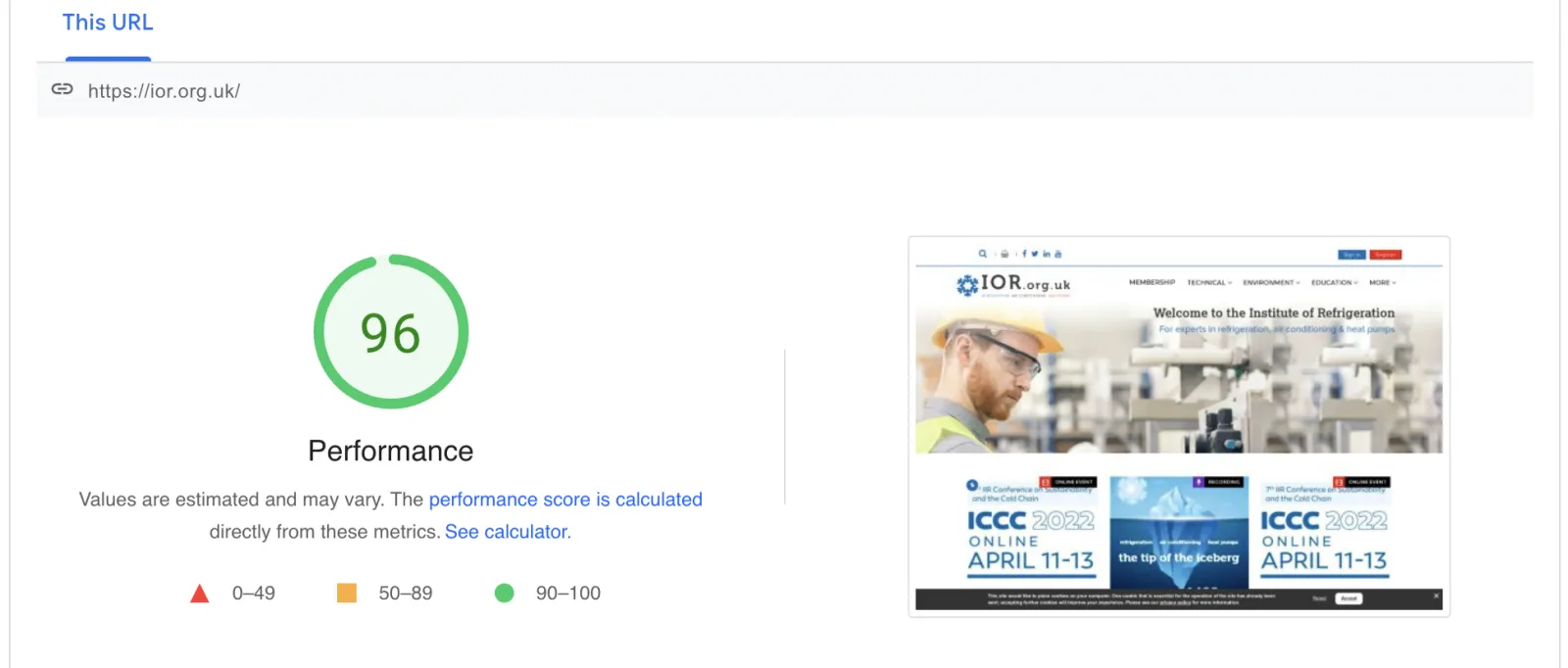
All these things result in excellent PageSpeed scores, and well SEO'd pages.